

OpenAI TTS
OpenAI TTS Service - https://platform.openai.com/docs/guides/text-to-speechVoiceMaker (Multi-Language Support)
Read more about services here: https://voicemaker.inSetup
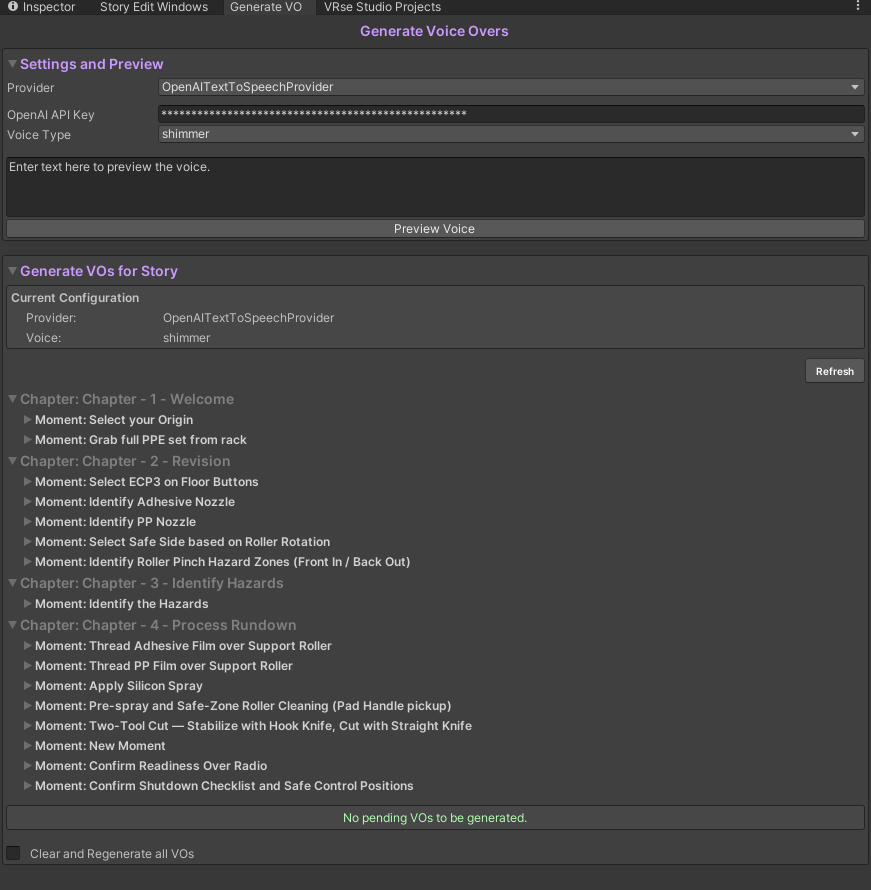
Go to the Generate VO Window from the bottom of the Story Creator, you will see a window like as shown above In the **Settings & Preview **section, change provider from OpenAITextToSpeechProvider to VRBAPITextToSpeechProvider and click onApply Settings In the preview you will be able to apply settings for english only, the rest of the languages are for preview purposes only. If you are using Localization and wish to set different voices for different languages, go toEdit > Project Settings > VRseBuilder > Text to Speech It will look like the Image below
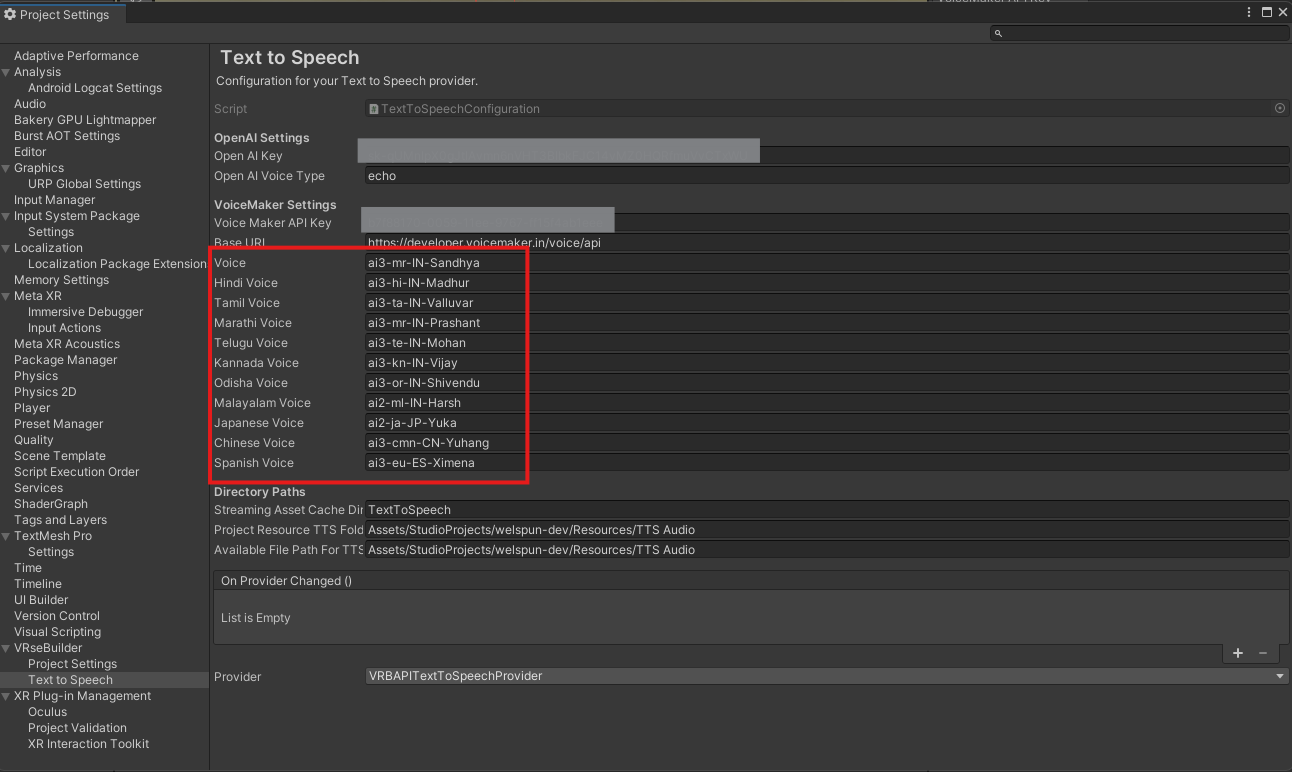
You can find a list of more valid voice APis here: https://developer.voicemaker.in/apidocs/list-of-all-voices